See It in Action
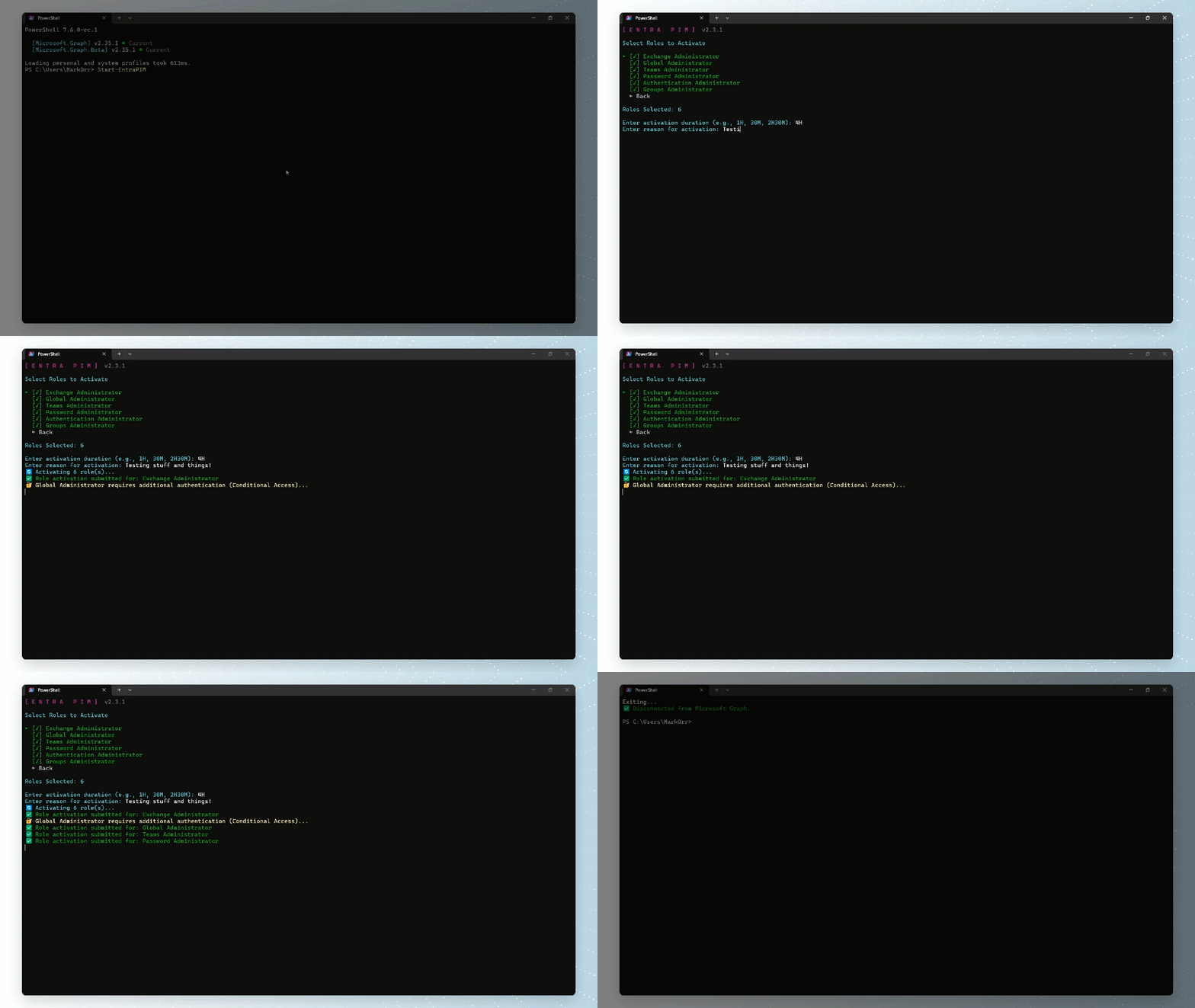
Full activation workflow — authentication, role selection, and activation.
Manage Microsoft Entra PIM roles from your terminal.
Entra ID roles, Azure Resource roles, and Groups PIM — one PowerShell command.
v2.3.5 · PowerShell 7.0+Everything you need to manage PIM roles, in one tool.
Manage Entra ID roles, Azure Resource roles, and Groups PIM memberships from a single interactive console.
Fresh browser-based authentication on every launch. Supports Conditional Access policies, authentication context, and automatic step-up MFA for privileged roles.
Works on Windows and macOS. No cached tokens — every session authenticates through your identity provider with full policy enforcement.
If requested duration exceeds a role's policy maximum, each role activates for its individual policy limit.
Navigate with keyboard shortcuts, back navigation on every menu, and live countdown timers on active roles.
Automatically checks PowerShell Gallery for new versions and prompts to update with the correct install method.
Auto-installs required modules on first run. No app registration needed — just install and go.
Select multiple roles at once and activate or deactivate them all in a single flow. Per-role status feedback with success, fail, and skipped summaries.
Optionally bring your own app registration with Configure-EntraPIM. Supports authentication context for granular Conditional Access policy targeting on privileged roles.
Full activation workflow — authentication, role selection, and activation.
The interactive console experience.




Up and running in two commands.
Navigate the TUI with ease.
| Shortcut | Action |
|---|---|
| ↑ ↓ | Navigate |
| Space | Toggle selection |
| Ctrl+A | Select all |
| Ctrl+D | Deselect all |
| Enter | Confirm |
| Esc | Step back |
| Ctrl+H | Help |
| Ctrl+Q | Exit |
Required only when using a custom app registration.